
Persons by organizational unit
The "Organizational unit" web application type can be used to integrate all persons in an organizational unit at once.
Select organizational unit
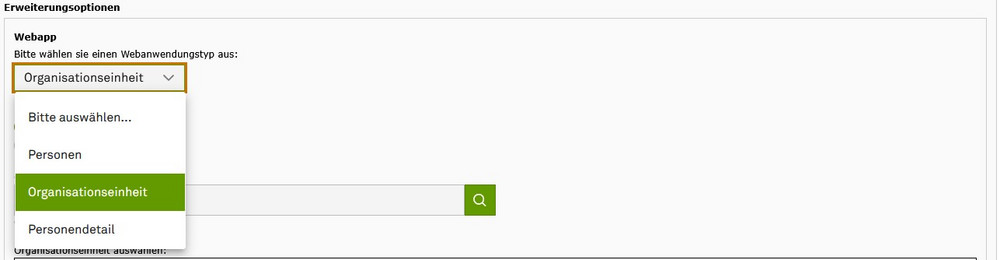
Select the web application type "Organizational unit" (see screenshot "Select web application type").
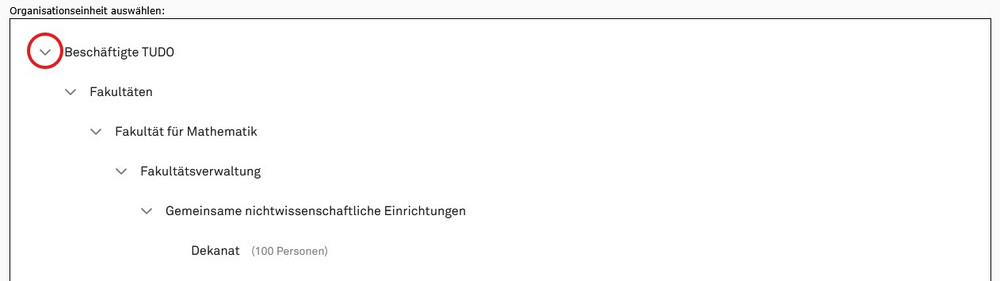
In this mode, you will see all organizational units of TU Dortmund University in a tree structure. If an entry has subcategories, an arrow icon appears to the left of it. Click on the arrow to display the subcategories. The tree expands downwards (see screenshot "Navigating in the structure tree").
If an entry contains personal data, the number of people is shown in brackets after the name. Click on the entry to add all persons of this organizational unit to the selection (see screenshot "Select organizational unit").
Note: If an entry in the structure tree does not have a label, "N. N." is displayed.

Search organizational unit
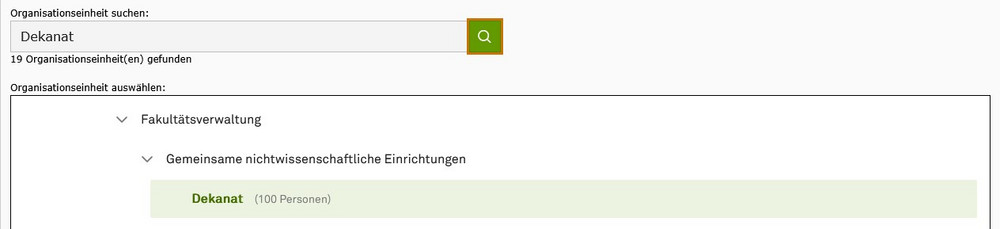
You can use the search function to search for a specific term in the tree structure. Search hits are highlighted in bold and the tree expands accordingly. The number of hits is also displayed as a note below the search field (see screenshot "Search organizational unit").
Do not show individual persons
By default, all persons in the selected organizational unit are displayed in the frontend. You can see an overview of all persons in the selection directly below the tree structure.
If you activate the checkboxes in the "Do not display" column, these persons are not displayed in the frontend (see screenshot "Do not display person").

Contact tile or view as a list?
As with the "People" web application type, you can decide whether the contact data is displayed either as contact tiles or as a list. Simply select the appropriate option above the search (see screenshot "Select contact tile or view as list").
You can find an example of the contact tiles and list view on our topic page for the "People" web application type.

Link person detail pages
The contact tiles or the individual lines of the contact list can be linked to the person detail pages. You can find out how to do this under the following link: