
What's New in TYPO3 13
The TU Dortmund University TYPO3 installation has been updated to TYPO3 13. On this page, you can learn more about the relevant new features.

TYPO3 is continuously being developed by a large community. This includes both technical innovations and regular security updates that address known vulnerabilities in the system.
The TU Dortmund University’s TYPO3 installation has now been updated to version 13. This ensures that all TYPO3 websites remain up to date with the latest technical standards and that security vulnerabilities can be promptly addressed with appropriate patches.
On this page, you will find all the important information about the relevant new features.
Changes and Updates
New Backend Style and Dark Mode
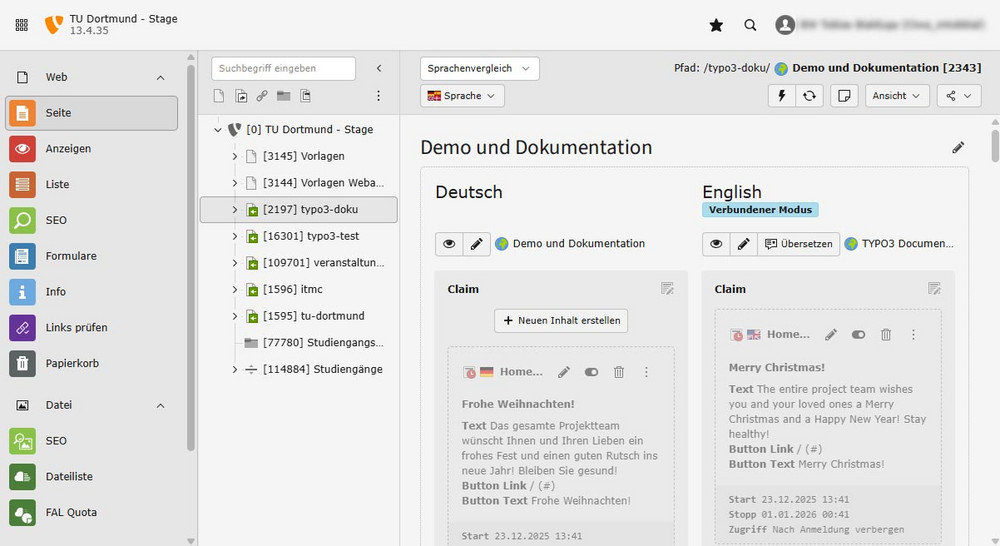
The TYPO3 backend in version 13 has a bright and airy look. Elements are spaced further apart, and light shades of gray dominate. However, if you prefer, you can switch the backend back to the old style. This option can be found in the user settings under the “Backend Appearance” tab.
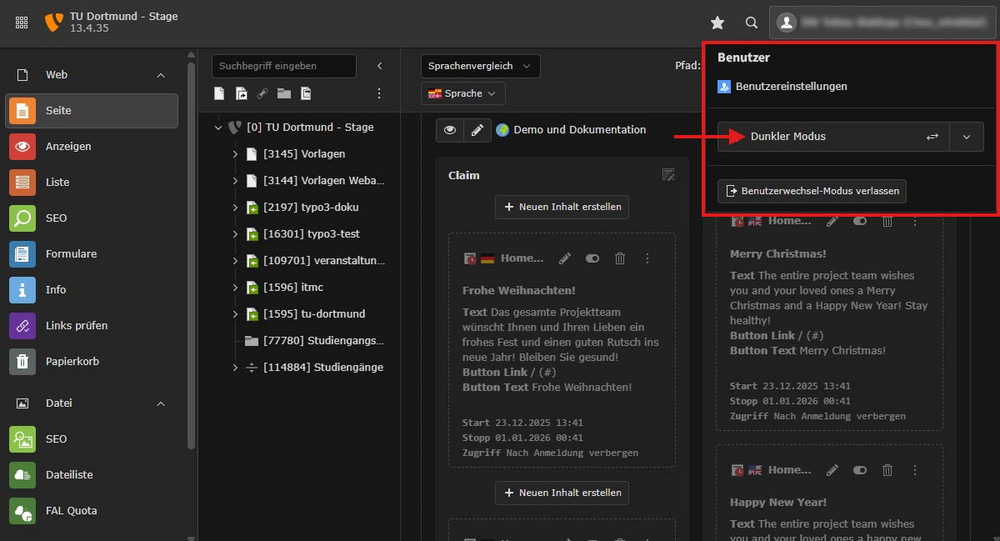
In addition to the light theme, there is now also a dark mode. If you click on your username in the upper-right corner of the screen, you’ll find the option to switch modes (see screenshot). With the “Detect automatically” option, you let your browser and system choose between light mode and dark mode.
Forms
New elements and options have been added to the form editor:
- “Grid: Column” element: This element works in conjunction with the “Grid: Row” element. It now allows you to position multiple groups of elements side by side within a grid row, with each group occupying a separate column. This element should only be used by experienced editors.
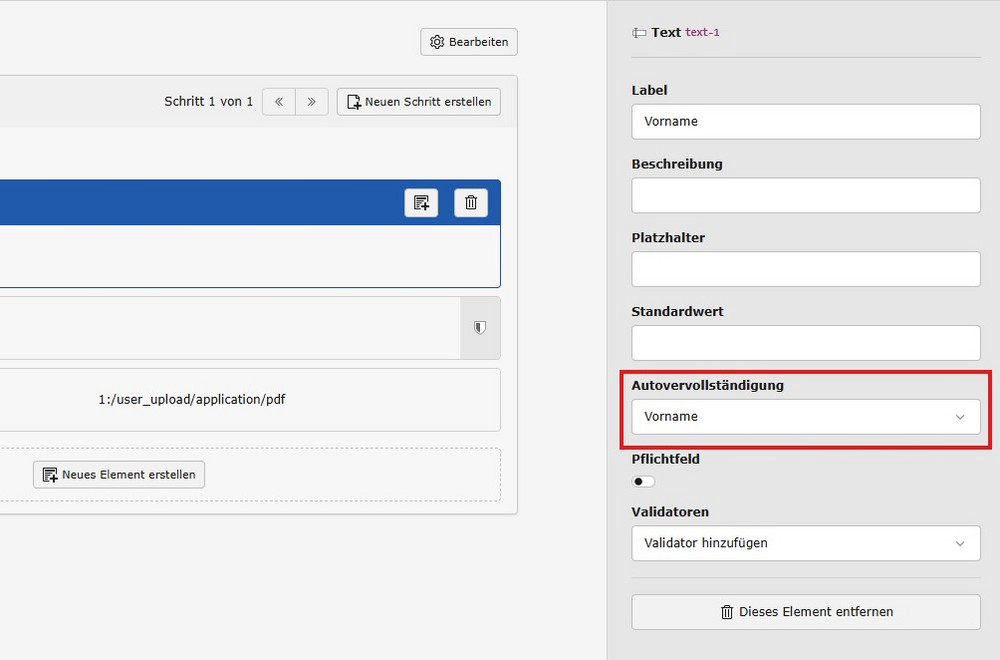
- “Autocomplete” option: Modern browsers and autocomplete tools automatically fill in contact information and addresses, for example, in forms (see screenshot). With this new option, you can specify for each element which value should be automatically entered here (e.g., name or email address).
Projects and Theses
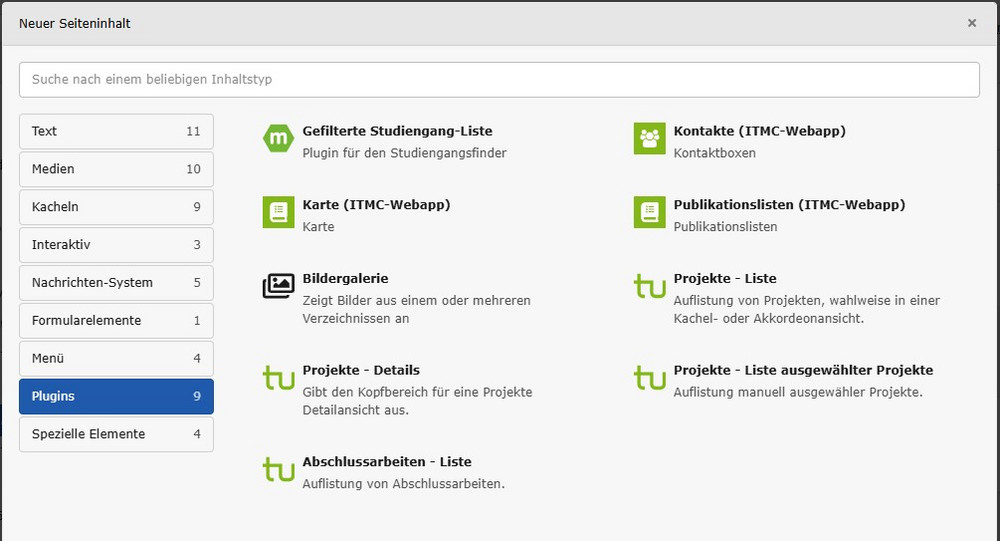
Four plugins are now available for integrating projects and theses:
- Projects - List
- Projects - Details
- Projects - List of Selected Projects
- Theses - List
Previously, these options were grouped together in a single content element. Now, you can integrate them in a more targeted manner.
Greater Security: Multi-Factor Authentication (MFA)
With TYPO3 13, we’re introducing another way to protect your editorial account. In addition to your usual password, you now have the option to enable multi-factor authentication (MFA for short).
The principle is simple and familiar from many other online services: In addition to your password, when you log in, you’ll enter an additional security code that changes every minute, which you generate using an authenticator app.
Use of this feature is initially optional and will become mandatory for all TYPO3 accounts starting in February 2027.
